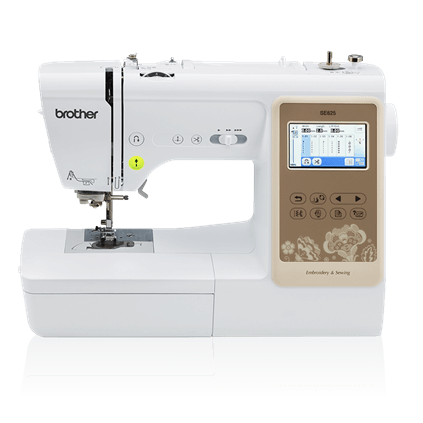
Current Price: $426 On Amazon
- 80 designs
- USB transfer
- Proven reliability
- Great entry-level option
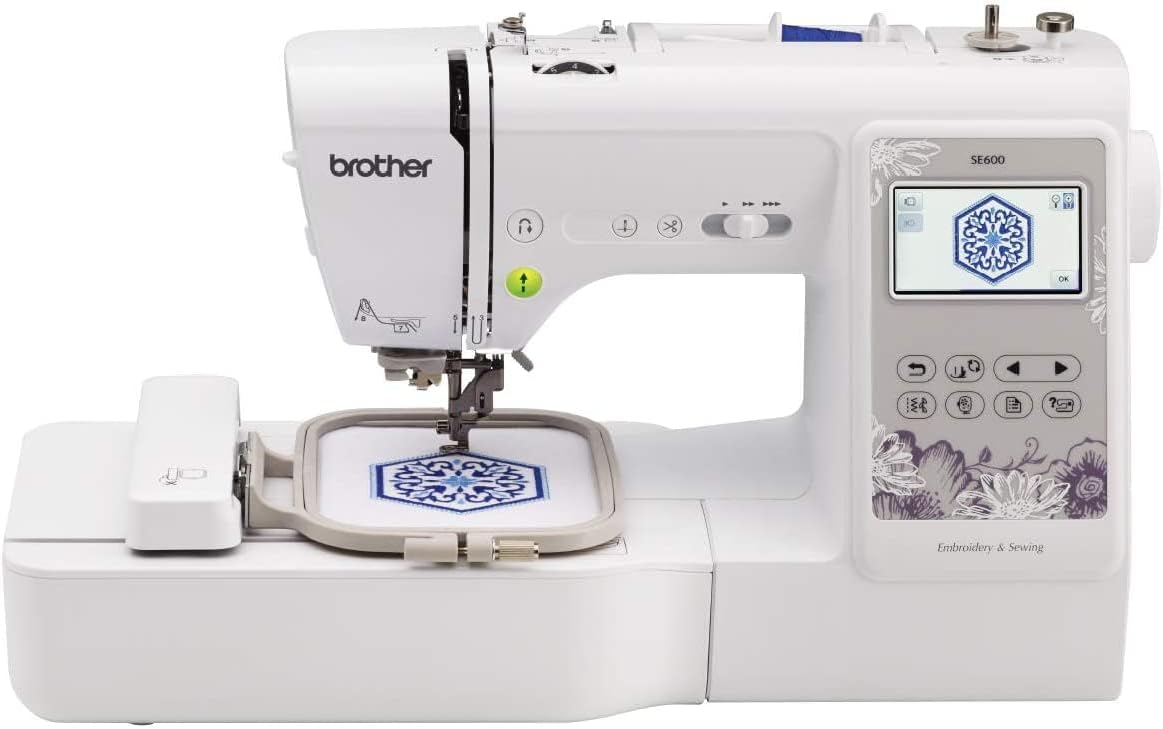

Current Price: $449 On Amazon
Everything the SE600 has plus automatic thread trimmer, drop feed dog, 8 monogramming styles, and 200 bonus designs.
Introduction
You finally found a sewing machine you love — and then someone tells you there’s a better one. Annoying, right?
That’s exactly what happened to me. I’d been happily using my Brother SE600 for months. Embroidery projects, monogramming, quilting — it never let me down. I genuinely thought I had the best machine for the money. Then one day, out of nowhere, my friend shipped me her Brother SE625 with a note that said: “Try this. It’s better than yours.”
I rolled my eyes. Honestly? I almost didn’t bother. The names are so similar they sound like the same machine with a typo. But I decided to humor her and put both side by side on my worktable.
Here’s what shocked me — after testing both machines across countless projects, these two are almost identical twins. Same stitches, same speed, same embroidery area. But there are a few small differences that actually matter depending on how you sew.
So if you’ve been going back and forth between the SE600 and SE625 and can’t figure out which one deserves your money — stick with me. By the end of this, you’ll know exactly which one is right for you.
Table of Contents
Quick TLDR:
Both machines are almost identical. The SE625 adds an automatic thread trimmer, drop feed dog, and more monogramming styles — genuinely useful if you do multi-color embroidery or free-motion quilting. If you don’t, save your money and grab the SE600.
At-a-glance: Brother SE600 vs SE625
| Features | SE600 | SE625 |
|---|---|---|
| Built-in Stitches | 103 | 103 |
| Embroidery Designs | 80 | 80 + 200 (CD) |
| Sewing Speed | 710 SPM | 710 SPM |
| Embroidery Area | 4"×4" | 4"×4" |
| Auto Thread Trimmer | ❌ | ✅ |
| Drop Feed Dog | ❌ | ✅ |
| Monogramming Styles | 3 | 8 |
| USB Connectivity | ✅ | ✅ |
| Warranty | 25 Years | 25 Years |
| Best For | Beginners | Intermediate Users |
| Where To Buy | Check On Amazon | Check On Amazon |
What’s Similar In Brother SE600 vs SE625?
Before we get into the differences, let’s talk about what these two machines actually share — because it’s a lot.
Both the SE600 and SE625 run at 710 stitches per minute, come with 103 built-in stitches, 80 embroidery designs, and a 4″×4″ embroidery area.
You get the same 7 sewing feet, the same free-arm capability, USB connectivity, and a 25-year warranty on both.
Honestly, if you put them side by side without the labels, you’d struggle to tell them apart just from the feature list.
Brother SE600 vs SE625: Differences
1. Automatic Thread Trimmer
I never thought trimming thread was a big deal — until I didn’t have to do it anymore.
I work on multi-color embroidery projects a lot. And every single time a color finishes, I’d reach for my scissors, snip the thread, and move on to the next one. It’s such a small thing that I never even questioned it. It just became part of my routine.
Then I used the SE625.
This machine automatically trims the thread after each color. No scissors. No interruption. It just… handles it. The first time it happened I actually laughed because I was already reaching for my scissors out of habit.
Now if you mostly do single-color projects or basic sewing, you probably won’t care about this feature much. But if you’re like me and regularly work on detailed multi-color embroidery, this small automation adds up fast.
What used to feel like a minor interruption becomes surprisingly annoying once you realize it doesn’t have to happen at all.
2. 8 Monogramming Styles vs 3
This one sounds more exciting than it actually is.
The SE625 comes with 8 monogramming styles while the SE600 only has 3. And yes, when I first heard that I thought it was a big deal.
But after actually using both I still find myself going back to the same 1 or 2 fonts every single time. The rest just sit there. Unused.
Most people are like this. You find a font that looks clean and fits your style — and you stick with it. Having 6 extra options doesn’t really change how you work day to day.
That said, I’ll give credit where it’s due. If you’re working on personalized projects — think baby onesies, monogrammed towels, tote bags, or gifts — having more font variety actually makes sense. Different styles suit different items. A fancy script looks great on a towel but feels off on a kids’ item.
3. 200 Extra Designs on CD

Okay this one made me chuckle a little.
The SE625 comes with 200 extra embroidery designs — sounds great, right? Until you find out they’re on a CD. An actual CD. I opened the box, saw it, and immediately thought — how am I supposed to use this? My laptop doesn’t even have a CD drive. Does yours?
Both machines have USB connectivity. So I just go online, find free embroidery designs, download them, and transfer straight into the machine. Takes five minutes. The CD is basically a decorative coaster at this point.
And honestly, if digital connectivity is important to you, just skip both these machines and look at the Brother SE700. That thing has built-in WiFi. I sometimes save a design directly from Pinterest and import it into the machine wirelessly — no USB, no CD, no hassle. That’s where the real upgrade is.
So don’t let those “200 extra designs” on the SE625 box excite you too much. In 2026, a CD is not a feature. It’s an inconvenience.
4. Drop Feed Dog
This one is actually useful — but only for the right person.
Let me explain what it does. Normally your machine has feed dogs — those little teeth under the needle that grip and move your fabric forward automatically. When you drop them on the SE625, the fabric stops moving on its own. Now YOU control where it goes. This lets you move the fabric freely in any direction and basically “draw” with your needle and thread.
It sounds cool. And it genuinely is — once you know what you’re doing.
I tried free-motion quilting with it and the results were beautiful. But I’ll be honest, it took me a few practice sessions before I stopped making a mess. Your hands need to learn a whole new rhythm. Too slow and you get bunched up stitches. Too fast and everything looks sloppy.
If you’re into quilting or free-motion embroidery, this feature is a real win and you’ll appreciate having it. But if you’re a beginner just starting out — you probably won’t even touch this for months. Maybe longer.
The SE600 doesn’t have this. So if free-motion work is already part of your sewing life, that’s a genuine reason to choose the SE625.
Which One Should You Buy?
Current Price: $426 On Amazon
- 80 designs
- USB transfer
- Proven reliability
- Great entry-level option
Here’s my honest take after testing both.
If you’re a beginner just getting into embroidery and sewing — get the SE600. It does everything you need, it’s simpler to work with, and you won’t be paying for features you’re not ready to use yet.
But if you already know your way around a sewing machine and you regularly work on multi-color embroidery projects — the SE625 is worth the extra few dollars. The automatic thread trimmer alone will justify the price difference faster than you think. And if free-motion quilting is your thing, the drop feed dog is a genuine bonus you’ll actually use.
The only feature I’d tell you to ignore completely is the CD. Don’t let 200 designs on a disc push your decision either way.
Final Verdict
These machines are so close that the “right” choice really comes down to your skill level and what you actually make. Buy for where you are today, not for features you might use someday.
Related Articles:
FAQs
Q: Is the Brother SE625 worth the extra money over SE600?
A: Only if you do multi-color embroidery or free-motion quilting. Otherwise the SE600 does the same job for less.
Q: Can I add more embroidery designs to these machines?
A: Yes. Both have USB connectivity so you can download and import designs freely from the internet.
Q: Are these machines good for beginners?
A: The SE600 is the better beginner pick. The SE625 has features that beginners won’t need right away.
Q: Is the CD with 200 designs actually useful?
A: Honestly, not really. Most laptops don’t have CD drives anymore. Just download designs online for free.
Q: Which machine is better for quilting?
A: The SE625 — the drop feed dog makes free-motion quilting possible, which the SE600 simply can’t do.