Current Price: $118 On Amazon
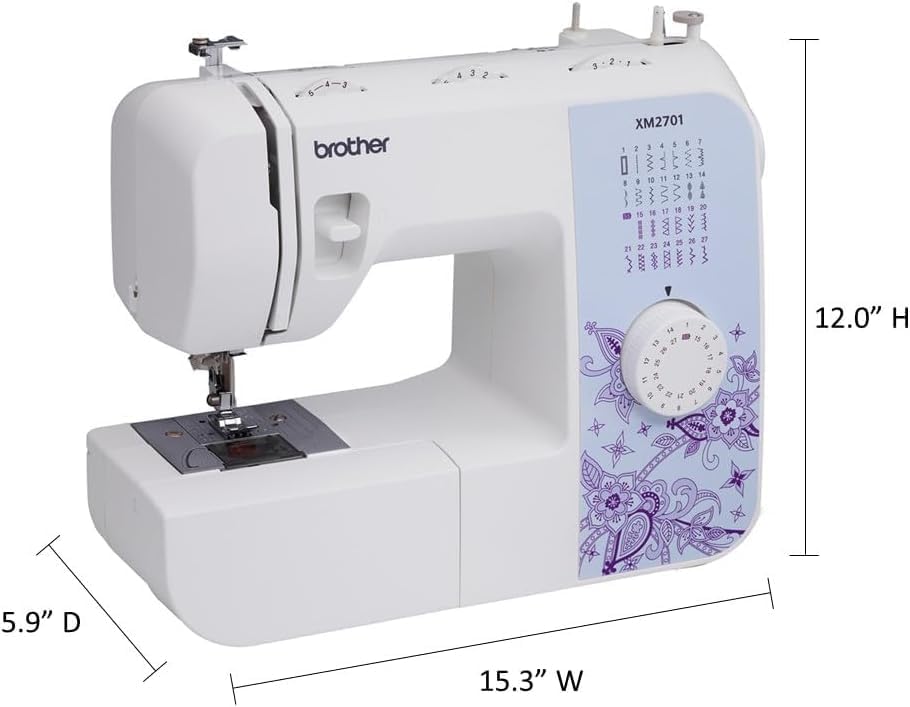
The go-to machine for beginners who want reliability without overthinking it. Metal frame, 27 stitches, 6 presser feet including the narrow hemmer. Built to last for regular home sewing — hems, repairs, garments, and simple projects. No electronics to worry about. Just turn the dial and sew.
✅ Metal frame (more durable)
✅ 6 presser feet out of the box
✅ Simple dial — zero learning curve
✅ Quieter on thick fabrics

Current Price: $129 On Amazon
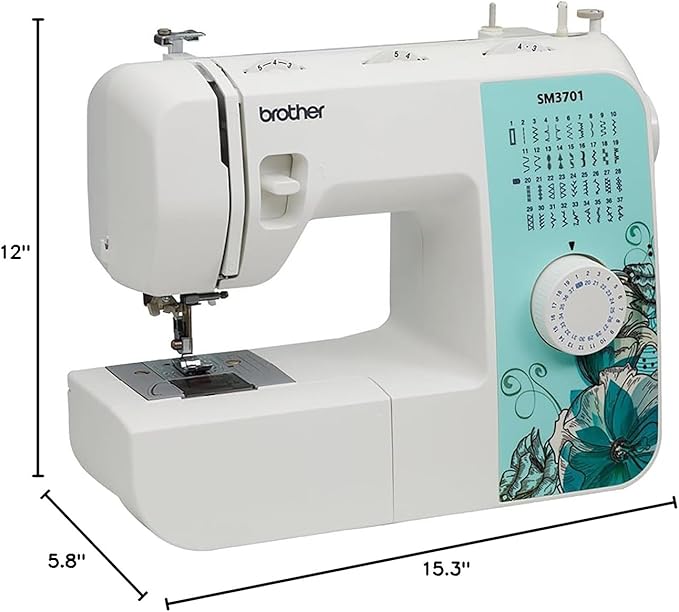
The step-up machine for anyone who wants more creative options. Computerized controls, 37 stitches, and noticeably cleaner buttonholes. The push-button system handles the technical setup automatically — making decorative stitches fast and consistent. For garments, home décor, and projects where stitch variety matters.
✅ 37 stitches including decorative & quilting
✅ Computerized for consistent results
✅ Cleaner buttonholes with less effort
✅ Great for creative and decorative projects
Introduction
I’ve been using the Brother XM2701 for almost all my sewing tasks — hemming, repairs, basic garment work. It does the job. I never really questioned it.
Then I picked up the SM3701. Not because I needed a new machine. The XM2701 was working perfectly fine. The only reason I bought it was those extra decorative stitches. That’s it. I wanted more creative options for a few projects, and the SM3701 had them at just $11 more. Seemed like an easy call.
What I didn’t expect was what happened after a few weeks of using both side by side.
The stitch count difference is real, but it’s the smallest part of the story. The bigger differences — the ones that actually change how sewing feels day to day — are hiding underneath. Nobody in the articles I read before buying mentioned them. Not once.
That’s what this comparison is about. Not a spec sheet. Not a “37 vs 27 stitches” breakdown. The real stuff — the things that only show up after you’ve actually put both machines through their paces.
Table of Contents
Quick TL;DR:
The XM2701 ($118) is a mechanical machine with a metal frame — simpler, more durable, great for everyday sewing. The SM3701 ($129) is computerized with 37 stitches — better for decorative work and cleaner buttonholes. If you mostly hem and repair, save the $11. If you want to get creative with stitches, spend it.
At-a-glance: Brother XM2701 vs SM3701
| Features | XM2701 | SM3701 |
|---|---|---|
| Machine Type | Mechanical | Computerized |
| Built-in Stitches | 27 | 37 |
| Frame Material | Metal (more durable) | Plastic |
| Weight | 12.6 lbs | 12.9 lbs |
| Included Feet | 6 (incl. narrow hemmer) | 5 |
| Stitch Selection | Manual dial | Push-button |
| Warranty | 25-yr limited (1-yr parts) | 25-yr limited (1-yr parts) |
| Best For | Beginners who want durability + simplicity | Beginners who want more stitch variety + computerized controls |
| Where To Buy | Check On Amazon | Check On Amazon |
The Major Difference Between Brother XM2701 vs SM3701
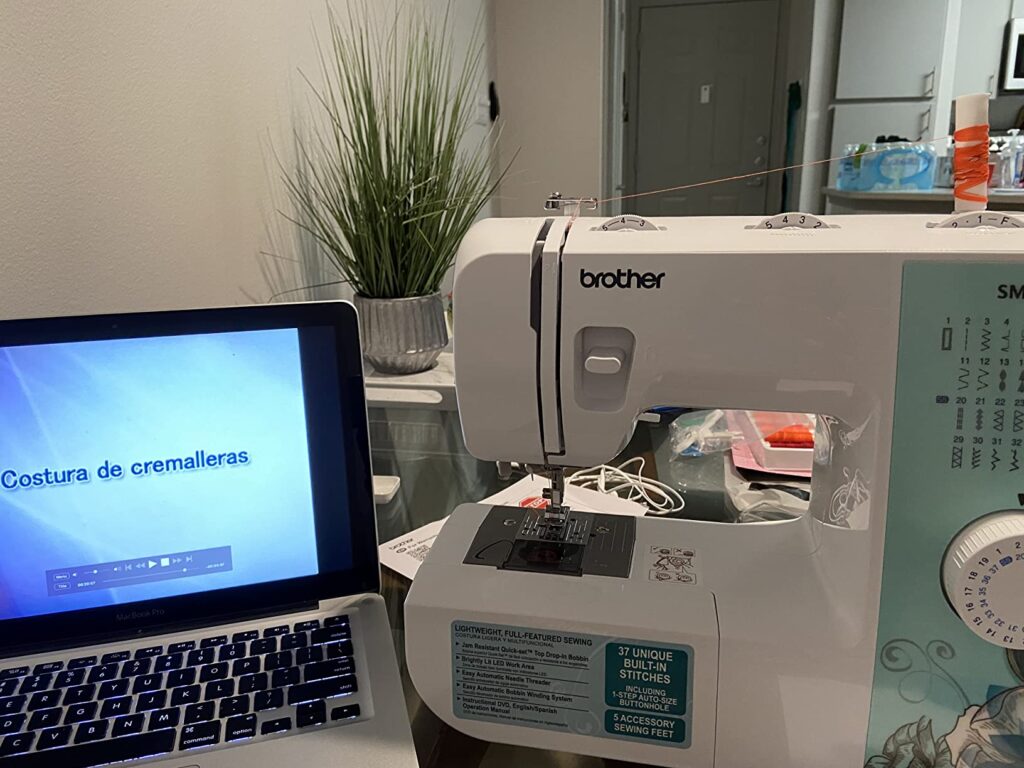
Here’s the first thing I noticed — and it genuinely surprised me.
The XM2701 is a mechanical machine. The SM3701 is a computerized machine. That’s the real difference. Everything else — stitch count, weight, accessories — is secondary to that one fact.
What does that mean in real life? On the XM2701, you pick your stitch by turning a dial. That’s it. You twist, it clicks into place, you sew. No buttons, no menus, nothing electronic. I’ve been using it so long that switching stitches is almost muscle memory at this point — grab the dial, turn, go.
The SM3701 works differently. You press a button to select your stitch, and the machine’s internal system handles the execution. The first time I sat down with it, I wanted to sew a simple satin stitch border on a small pouch. On the XM2701, I would’ve manually dialed in the stitch width and length, made a test run, adjusted, then started. On the SM3701, I pressed the button for that stitch and it just… came out right the first time. Consistent width, clean edges. I didn’t touch a single setting.
That moment is what “computerized” actually means at this price point. Not a screen. Not WiFi. Just: the machine handles the small technical decisions so you don’t have to.
Now, is that better? Not always. When I’m doing basic straight seams or hemming a pair of jeans, I reach for the XM2701 every single time. I don’t need automation for that. I want control. The dial is faster than hunting through button-selected stitches when you only use three of them anyway.
But when I’m doing something decorative — embellishing a tote bag, adding a scallop edge to a pillowcase — the SM3701 saves real time and removes a lot of trial and error.
The Durability Reversal Nobody Talks About
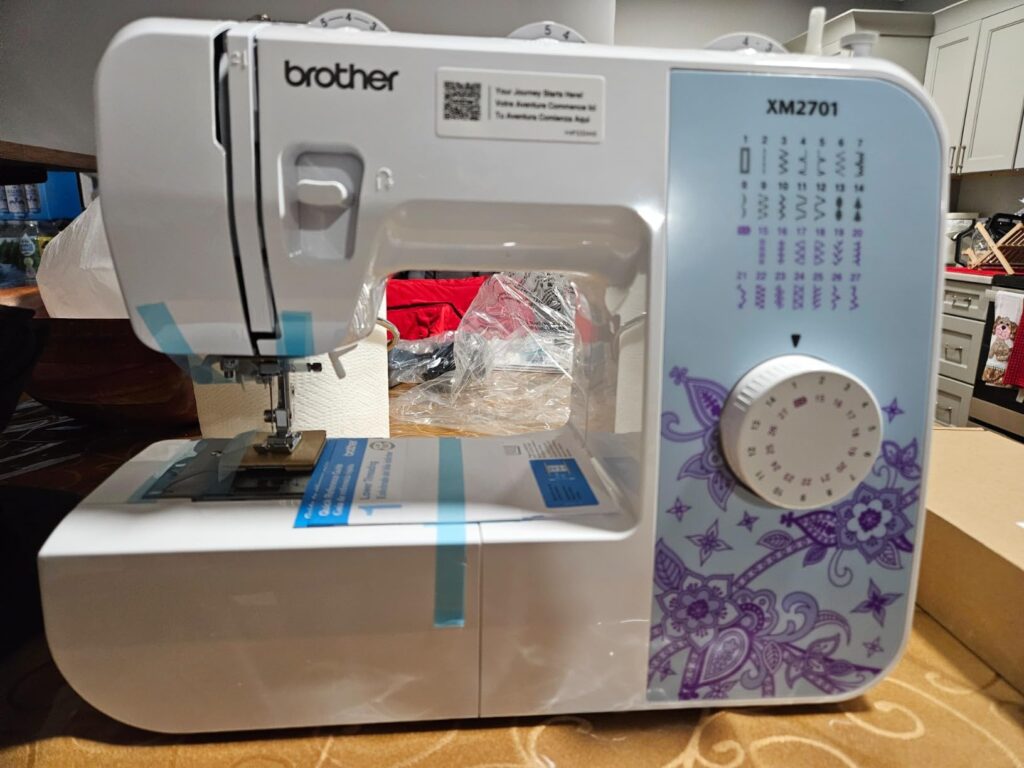
The Cheaper Machine Is Actually More Durable.
This is the part that genuinely caught me off guard.
When I first unboxed the SM3701, I set it on the table next to my XM2701 and picked them both up one after the other. The XM2701 felt more solid. Heavier in a good way. The SM3701 — despite costing $11 more — felt a little lighter and, honestly, a little hollow in comparison. I figured it was just a perception thing. It wasn’t.
The XM2701 has a metal internal frame. The SM3701 is built around a plastic frame. That’s the reason for the difference in feel. And it becomes a real, practical difference the moment you start sewing through anything thick.
I ran both machines through four layers of denim — the kind of thickness you hit when you’re hemming jeans at the side seam where the fabric folds over on itself. The XM2701 handled it quietly and steadily. No drama. The SM3701 got through it too, but I noticed more vibration on the table and a slightly louder buzz from the machine under load. Not a dealbreaker — but it was noticeable.
That vibration difference is exactly what you’d expect from metal versus plastic under stress. The metal frame absorbs the shaking. The plastic frame transfers it. Over time — months and years of regular use — that difference adds up.
For occasional sewing, you’ll never notice. But if you’re sewing weekly or more, the XM2701’s metal frame is a quiet advantage the SM3701’s extra stitch count simply can’t match. You’re paying $11 less and getting a more durable machine. That’s genuinely unusual, and worth knowing before you decide.
The 25-Year Warranty: Read the Fine Print
Both machines come with a 25-year limited warranty. When I first saw that on the product listing, it felt reassuring. Twenty-five years on a $118 machine? Seems like Brother is really standing behind their product.
Then I read the actual warranty document.
Here’s what “25 years” really means: that coverage applies only to the structural frame of the machine. The part least likely to ever fail.
For everything that actually matters — parts, labor, mechanisms that move and wear — the warranty is 1 year. Electronic components on the SM3701 get 2 years. That’s it.
After year one, if something breaks on the XM2701, you’re paying for it yourself. After year two on the SM3701, if the electronic stitch control starts acting up, same story.
This matters slightly more for the SM3701 because it has electronic parts the XM2701 doesn’t — more components means more potential failure points. The XM2701’s mechanical system simply has fewer things that depend on electronics staying healthy.
Don’t let “25-year warranty” be the reason you feel covered. For normal home sewing, both machines should last well past that 1-year window. Just know what you’re actually protected against.
The Accessories Gap
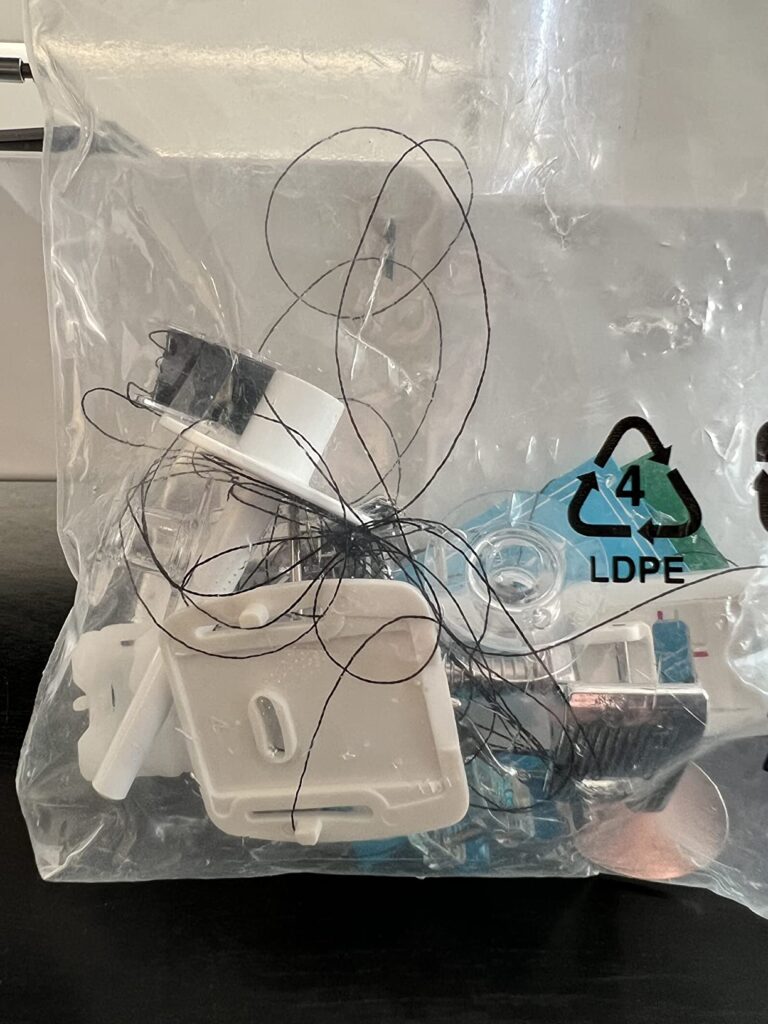
Small thing. But worth mentioning.
The XM2701 ships with 6 presser feet. The SM3701 ships with 5. When I laid out both sets on the table and compared them, the difference was one foot — the narrow hemmer.
I didn’t think much of it at first. Then I used it.
I was making a set of sheer curtain panels — thin polyester fabric that’s notoriously tricky to hem cleanly. A regular presser foot drags and bunches that kind of fabric. The narrow hemmer rolls the edge over automatically as you sew, giving you a clean, tight hem in one pass. It’s the kind of foot that looks like a gimmick until the moment you actually need it, and then you wonder how you ever managed without it.
The SM3701 doesn’t include it. You can buy one separately for around $8–10, and it’ll work fine. So it’s not a dealbreaker. But it’s another small way the XM2701 quietly over-delivers for its price.
Both machines include the standard feet for everyday tasks. But if lightweight fabric hemming is in your future — curtains, blouses, anything sheer or silky — the XM2701 is the more complete package right out of the box.
The Throat Space Issue (For Anyone Thinking About Quilting)
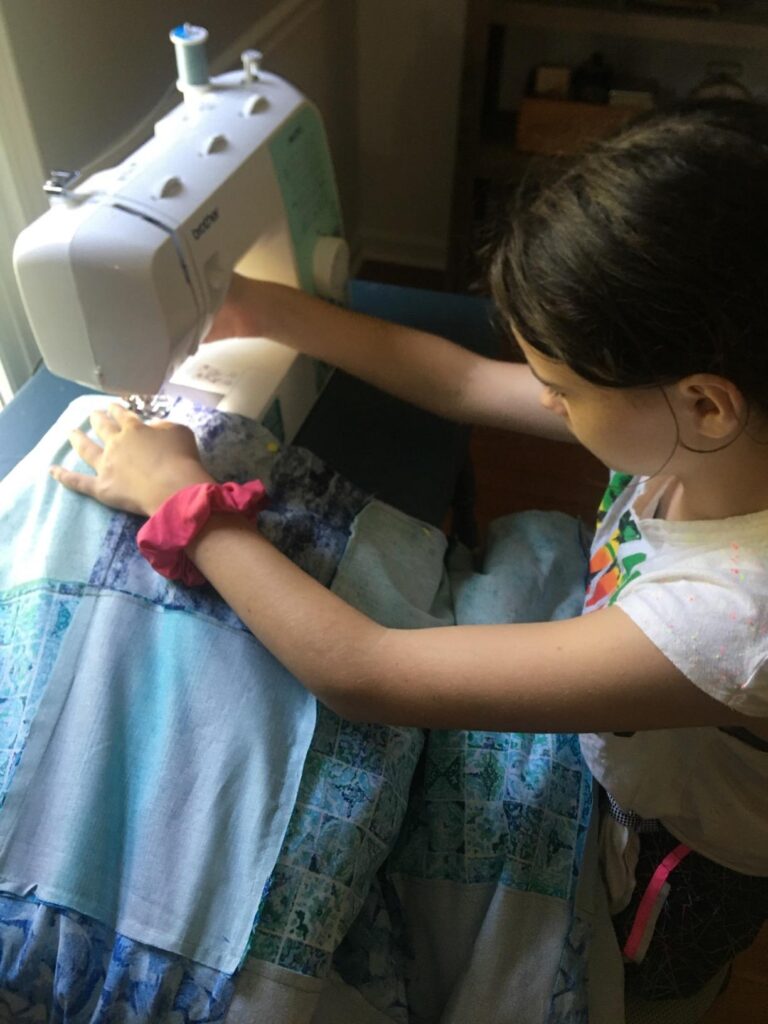
A friend of mine bought a budget sewing machine specifically for quilting, used it happily for small projects for months, then tried to quilt a twin-size blanket and hit a wall. I thought about her the entire time I was testing both of these machines for quilting tasks.
Both machines have a small throat space — the gap between the needle and the right side of the machine body. For small quilting — a table runner, a wall hanging, a baby quilt — both machines are workable. I pieced a few quilt blocks together on each without any issues.
The moment you try something large — a twin or queen-sized blanket — both machines show their limits. You end up wrestling a heavy, bulky quilt sandwich through a small opening, and the hanging weight pulls against your stitching. Neither comes with an extension table to help. I tried feeding a half-finished lap quilt through the XM2701 and spent more time managing the fabric than actually sewing.
Also: neither machine includes a walking foot in the box. Without it, layers shift and you get puckering on the back. You can buy one separately for both machines — but it’s an extra cost to factor in.
Stitch Quality: Where I Noticed a Real Difference
I ran both machines through the same fabrics — standard cotton, mid-weight denim, chiffon, and fleece. For straight seams on cotton and fleece, both machines performed well. Clean stitches, consistent tension. If that’s 90% of your sewing, you won’t notice much difference between them.
Where it got interesting was the buttonholes.
Three buttonholes on each machine, same medium-weight cotton. The SM3701’s came out tighter and more even — clean bar tacks, uniform side stitching. The XM2701’s were usable, but the bar tacks were slightly uneven on two of three tries. Not ruined — just not as neat.
The XM2701 also struggled slightly with longer straight stitches on denim. Tension was slightly loose, giving the stitches a subtle waviness the SM3701 didn’t have. For a hidden seam it barely matters. For visible topstitching on a shirt collar or hem, you’ll see the difference.
The reason comes back to mechanical versus computerized. On the XM2701, you’re setting tension and stitch parameters manually — get it slightly wrong and the stitch shows it. The SM3701’s electronic system applies consistent parameters automatically, which shows up most in buttonholes and decorative stitches.
Here’s the updated section:
So Which One Should You Buy?
Buy the XM2701 ($118) if:
- You mainly want to hem, mend, and do basic repairs
- You prefer a simple dial over push-buttons
- You sew regularly and want a machine that stays solid over time — metal frame
- You want the most complete out-of-the-box kit — 6 feet including the narrow hemmer
- 27 stitches is plenty for what you actually do
- You dislike technology and want full manual control
Current Price: $118 On Amazon
The go-to machine for beginners who want reliability without overthinking it. Metal frame, 27 stitches, 6 presser feet including the narrow hemmer. Built to last for regular home sewing — hems, repairs, garments, and simple projects. No electronics to worry about. Just turn the dial and sew.
✅ Metal frame (more durable)
✅ 6 presser feet out of the box
✅ Simple dial — zero learning curve
✅ Quieter on thick fabrics
Buy the SM3701 ($129) if:
- You want to explore decorative stitches and use them often
- You want cleaner buttonholes without manual trial and error
- You’re making garments, home décor, or creative projects
- You don’t mind push-button controls
- You’ll actually use the SM3701’s full stitch range
Current Price: $129 On Amazon
The step-up machine for anyone who wants more creative options. Computerized controls, 37 stitches, and noticeably cleaner buttonholes. The push-button system handles the technical setup automatically — making decorative stitches fast and consistent. For garments, home décor, and projects where stitch variety matters.
✅ 37 stitches including decorative & quilting
✅ Computerized for consistent results
✅ Cleaner buttonholes with less effort
✅ Great for creative and decorative projects
The Bottom Line
The XM2701 and SM3701 are not two versions of the same machine. They’re two different philosophies at essentially the same price.
The XM2701 is the machine that wants to be invisible. It doesn’t ask you to think about settings. It’s mechanical, intuitive, and built to last. If sewing is a means to an end — you want finished products, not a relationship with your machine — buy the XM2701.
The SM3701 is the machine that gives you room to explore. The computerized controls and wider stitch range reward curiosity. If you already know you’re going to push into creative sewing — decorative stitches, garment-making, varied projects — the extra $11 and the extra 10 stitches are worth it.
The choice isn’t about which machine is “better.” It’s about which one fits how you actually sew.
One more thing before you decide: neither machine is a forever machine. They’re both excellent learning tools and reliable for everyday home sewing. Set the right expectations, pick the right one for your current needs, and you won’t regret either purchase.
Related Articles:
FAQs
Q: Is the Brother SM3701 really computerized?
Yes — but in a basic way. It uses push-button stitch selection with electronic execution. There’s no LCD screen or auto-tension. Think of it as “electronically assisted,” not a full smart machine.
Q: Which machine is better for a complete beginner?
Both are beginner-friendly, but the XM2701 is slightly easier to start with — turn the dial, sew. The SM3701 has more options, which can feel overwhelming on day one.
Q: Can the XM2701 sew through thick fabric like denim?
Yes, for most home projects. It handles 2–3 layers of denim well. Four layers is possible but you’ll feel it working harder. Neither machine is built for heavy-duty regular use.
Q: Is the $11 price difference worth it?
Only if you’ll actually use the extra stitches. If your sewing is mostly repairs, hemming, and straight seams — no. If you want decorative stitches and cleaner buttonholes — yes, absolutely.
Q: Do both machines use the same bobbins and feet?
Yes. Both use Brother Class 15 bobbins (SA156) and standard Brother presser feet. Accessories are fully interchangeable between the two models.