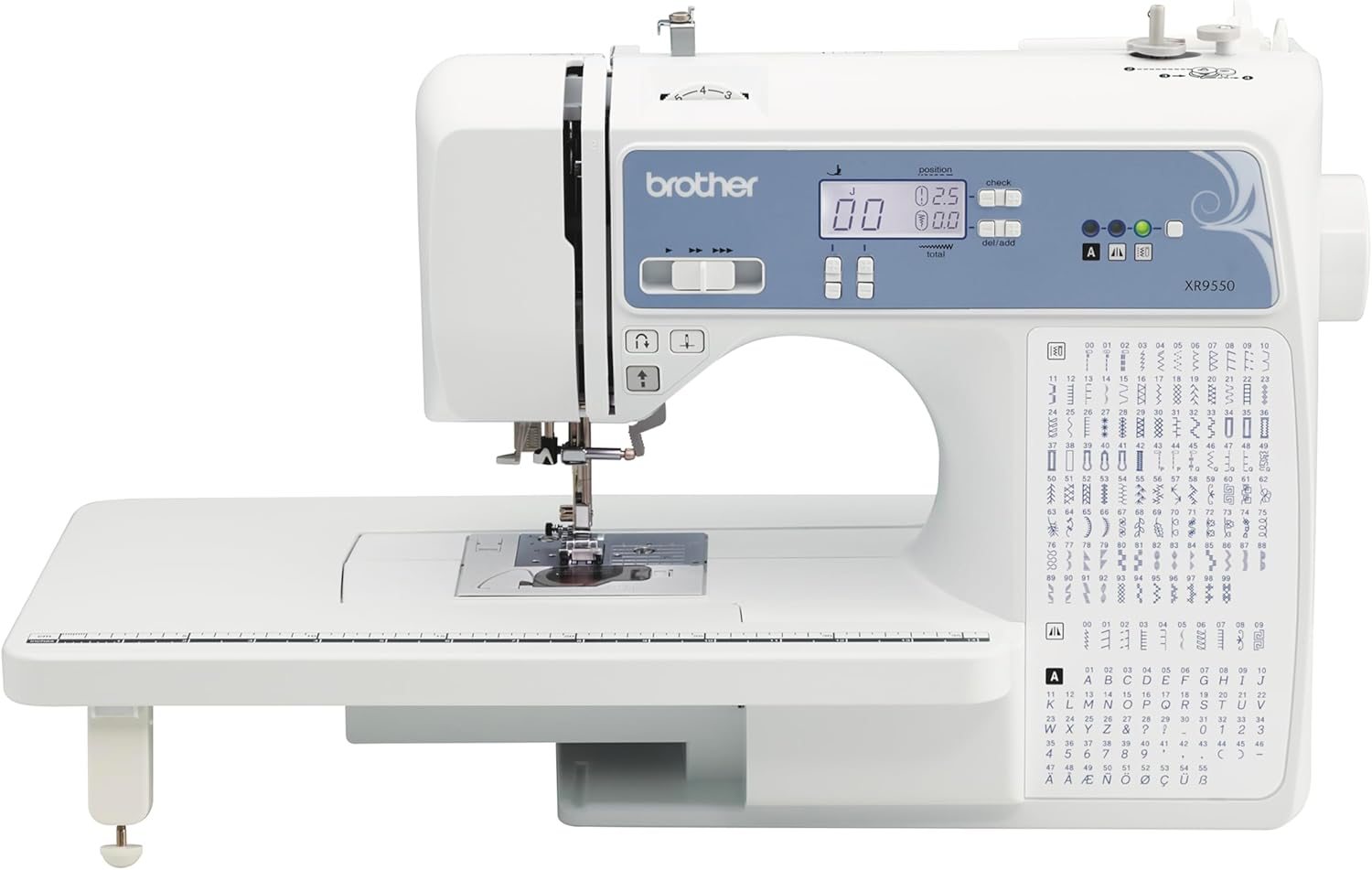
Current Price: $269 On Amazon
165 stitches including 55 alphanumeric, 8 presser feet, LCD screen, wide table and hard case included. Best for sewers who want a bigger stitch library and a heavier, more stable machine — just test the letter stitches on scrap fabric before relying on them for a deadline project.

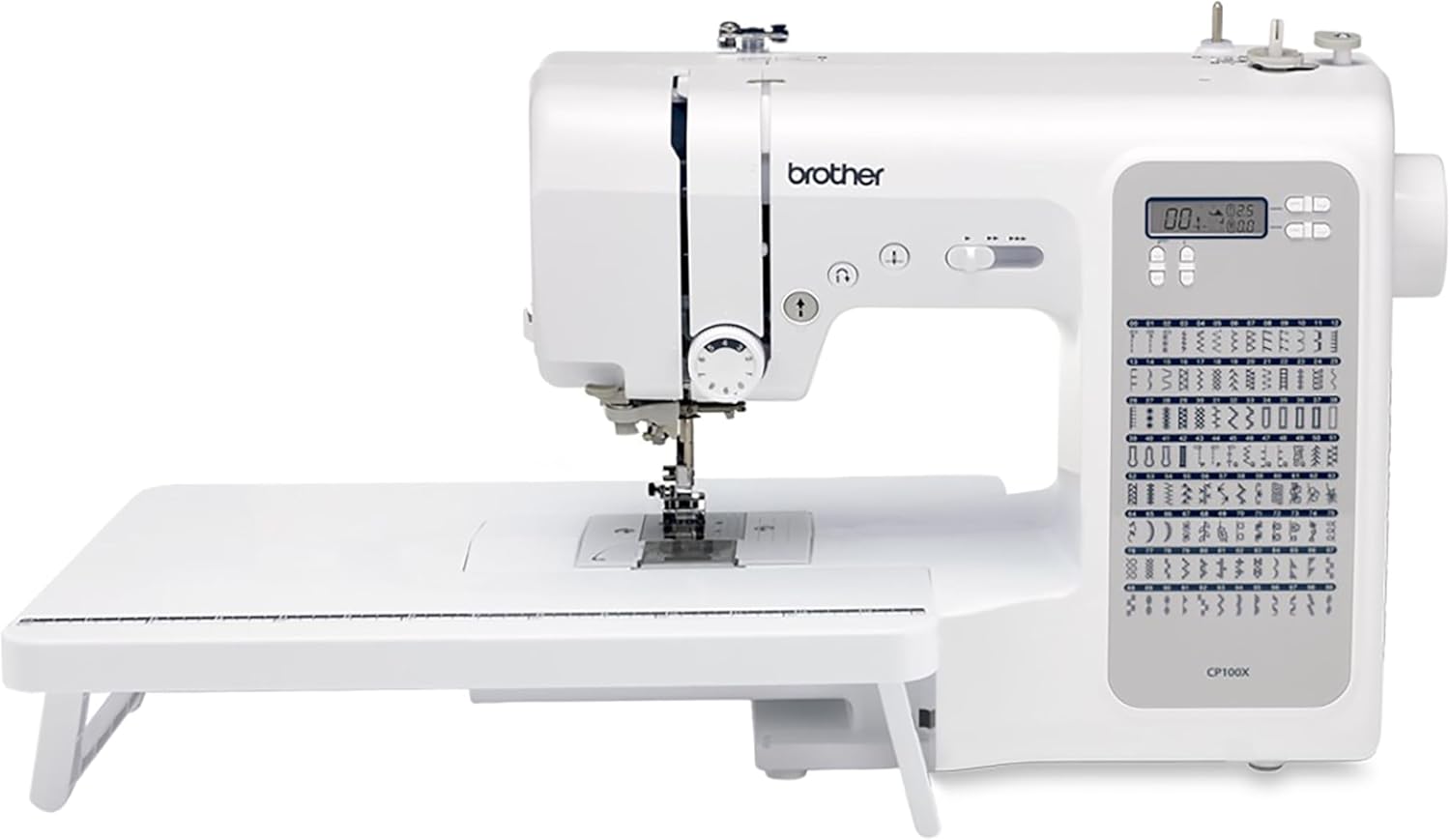
Current Price: $100 On Amazon
100 stitches, fixed needle bar, metal frame, and 10 presser feet including a walking foot standard — no separate purchase needed for quilting multiple layers. Best for quilters and beginners who want more included out of the box, on a stable surface.
Introduction
I had both machines sitting on my sewing table for six weeks before I wrote a single word of this. Not because I needed that long to form an opinion — it took about three projects to know which one I’d reach for on a Tuesday night versus which one I’d reach for when a deadline was looming. I needed that long because I wanted to hit the problems that don’t show up in week one. The kind that only surface once you’ve wound a dozen bobbins, sewn through a stack of denim, and tried to finish a gift with someone’s initials on it before their birthday.
If you’re reading yet another XR9550 vs CP100X comparison, I’m guessing you’ve already read two or three that told you one has 165 stitches and the other has 100, listed the included feet, and left you exactly as undecided as before. That’s not what this is. This is what actually happened when I used both machines the way you’re probably going to use them — and specifically, the two things that changed my mind about which one earns the extra money.
Table of Contents
Quick TL;DR:
The XR9550 costs more mainly for its 55 alphanumeric letter stitches. The CP100X costs less but includes a walking foot standard, which the XR9550 doesn’t, despite being marketed as a quilting machine. If you don’t need to sew letters, the CP100X is the better value; if you want the heavier, more stable build and don’t mind buying a walking foot separately, the XR9550 edges it.
At-a-glance: Brother XR9550 vs CP100X
| Features | Brother XR9550 | Brother CP100x |
|---|---|---|
| Built-in stitches | 165 (110 utility/decorative + 55 alphanumeric) | 100 (utility, decorative, heirloom) |
| Auto-size buttonholes | 8 styles | 8 styles |
| Included presser feet | 8 (no walking foot) | 10, including a walking foot |
| Needle bar | Standard | Fixed needle bar |
| Included accessories | Wide table, hard case, free arm | Wide table, hard case, quilt guide |
| Letter/monogram stitching | Yes — unreliable in testing (mid-project resets) | Not available |
| Build weight | Heavier, more stable on the table | Lighter — can tip if leaned on; use a mat |
| Best for | Heavier fabric work, buyers who'll actually use letter stitches | Quilting projects, buyers who want the walking foot included |
| Where To Buy | Check On Amazon | Check On Amazon |
The Question You’re Actually Asking (And It’s Not “Which Has More Stitches”)
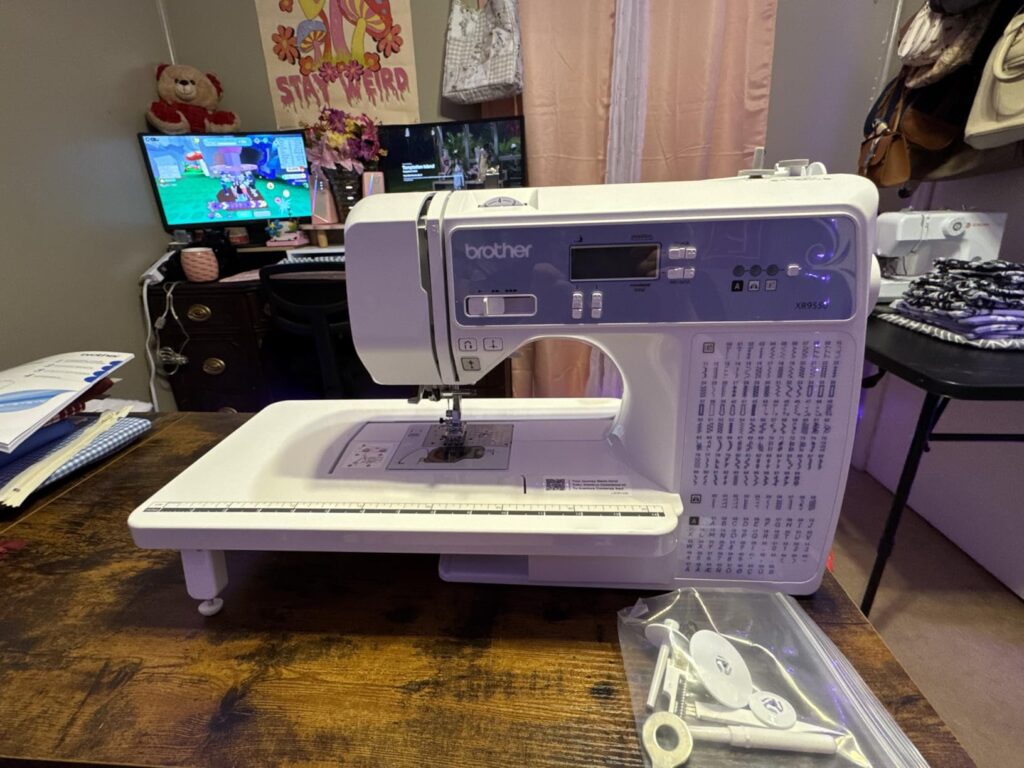
Everyone has the same confusion in mind: the XR9550 costs more, and you want to know if that gap actually buys you something, or if you’re paying for stitch count you’ll never use. Fair question. The honest answer took me longer to find than I expected, because the difference isn’t really about stitches at all — it’s about whether the feature you’re paying the premium for actually works when you need it, and whether the machine you save money on is missing something you’ll end up buying separately anyway. Both of those turned out to be true, and neither one is on the spec sheet.
The XR9550’s Whole Pitch Is the Alphanumeric Stitches
The XR9550’s 165 stitches break down into 110 regular stitches and 55 alphanumeric ones — letters and numbers you can stitch directly onto fabric. That’s the headline feature. It’s the reason the machine costs more than the CP100X, and it’s the thing every listing photo shows off first: a cursive “B” stitched onto a sample swatch.
I had a real use for it almost immediately — a baby blanket for a friend’s shower, with the baby’s first initial stitched into one corner. Simple project, one letter, should have taken twenty minutes.
It didn’t. Partway through the second pass of the letter, the machine froze mid-stitch and the screen reset back to the home menu, like I’d never selected anything. I assumed I’d bumped a button. I hadn’t. I re-selected the stitch, started again, and it happened a second time, this time after only a few stitches in. At that point I did what anyone does — I went looking online to see if I was missing something obvious, and found other XR9550 owners describing the exact same thing: the letter stitches interrupting mid-project and the machine resetting, specifically when using the alphanumeric function.
To be clear, this isn’t the machine being broken. It sews a straight stitch, a zigzag, and its standard stitch library fine — genuinely fine, no complaints there. It’s specifically the letter and number stitches, the one feature that’s supposed to be the reason you’d choose this machine over the CP100X. I eventually finished the blanket by working in shorter bursts and re-threading between letters, which worked, but it turned a twenty-minute detail into closer to an hour, and it’s not something I’d want to discover for the first time on a deadline project — a graduation gift, a shop order, anything with a delivery date attached.
If monogramming is the actual reason you’re eyeing the XR9550, budget extra time and patience for it, or test it immediately on a scrap before you commit it to something that matters. If letters and numbers aren’t something you’ll use often, this entire selling point — the one thing separating it from the CP100X on paper — mostly disappears, and the price gap gets a lot harder to justify.
The Feature Nobody Mentions Is the One the CP100X Includes and the XR9550 Doesn’t
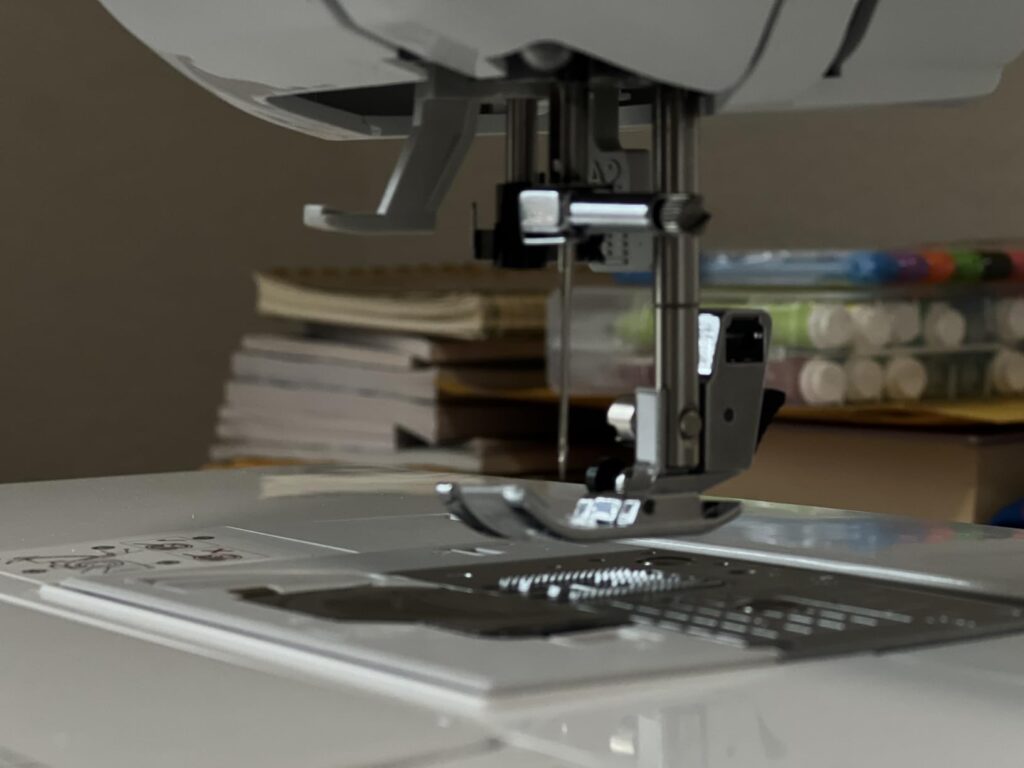
Here’s the flip side, and it’s the reason I stopped thinking of the CP100X as “the cheaper option” about halfway through testing.
Both machines are marketed as sewing and quilting machines. Quilting means multiple layers of fabric and batting moving through the machine at once, and the tool that makes that work properly is a walking foot — it feeds the top and bottom layers evenly so they don’t shift and pucker against each other. I went to grab one to piece a lap quilt on the XR9550 and realized it wasn’t in the box. I checked Brother’s own listing for the machine to make sure I hadn’t lost it, and the included presser feet are zigzag, buttonhole, zipper, button, overcasting, blind stitch, monogramming, and quilting — eight feet, no walking foot among them, despite “quilting” being in the machine’s own description.
The CP100X, on the other hand, came with one standard. I didn’t order it separately, didn’t request it — it was just in the box with the other feet. I used it on the same lap quilt, three layers of cotton and batting, and the difference was immediate. Without the walking foot on the XR9550, I could feel the bottom layer dragging slightly behind the top as I sewed, and by the end of a long seam the layers had shifted enough that I had to ease them back into place. With the walking foot on the CP100X, the layers stayed aligned the whole way through.
A walking foot isn’t expensive on its own, but it’s not nothing either, and it’s exactly the kind of cost that doesn’t show up when you’re comparing the two prices on Amazon. If quilting is any part of why you’re looking at either machine, the CP100X hands you what you actually need out of the box, and the XR9550 — the one marketed partly on its quilting ability — makes you buy it separately to do the thing its name promises.
What Happened When I Actually Sewed Through Different Fabrics?
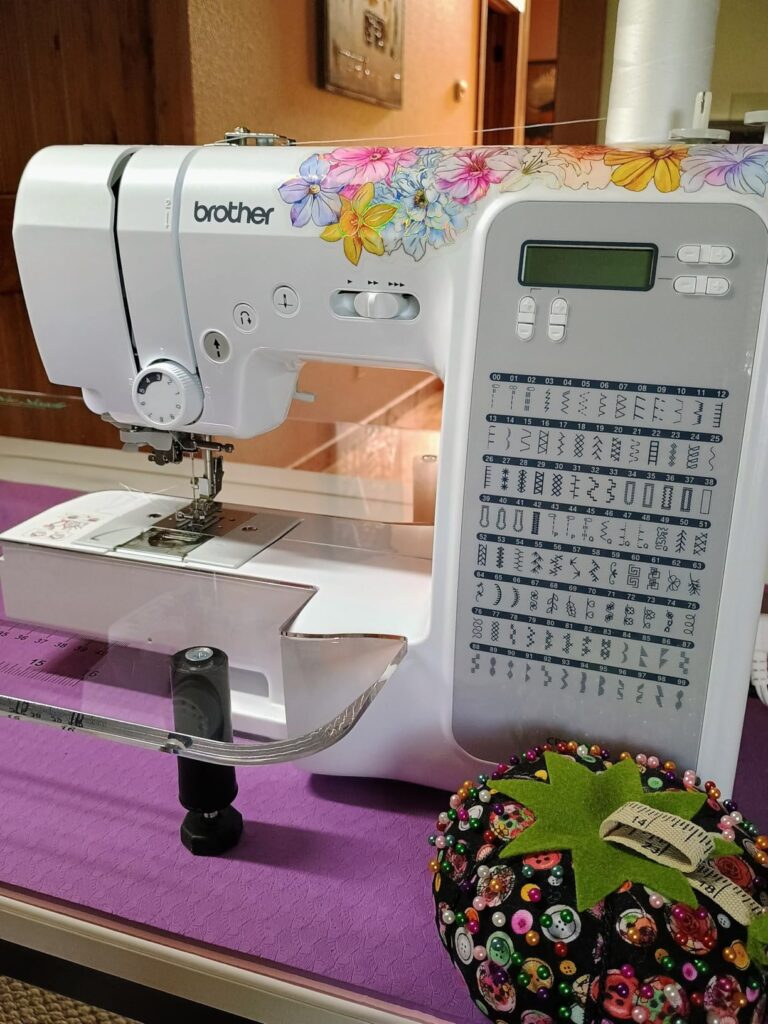
Stitch quality is where most comparisons either make things up or default to vague praise, so here’s exactly what I ran through both machines: quilting cotton, mid-weight denim from an old pair of jeans, a stretch knit t-shirt remnant, and chiffon offcuts I had sitting around from a previous project.
On quilting cotton, both machines were genuinely close — even, consistent straight stitches, no complaints on either side. Denim is where they started to separate a little. The XR9550 pushed through two layers of denim without much drama, but I noticed slight bottom-tension tightness on a few passes, which is adjustable but worth knowing going in if you’re planning heavier projects like bag-making or repairs. The CP100X handled denim fine at slower speeds, but I ran into thread breaking on straight stitches more than once — not constantly, but enough times over the six weeks that I started rethreading before every denim project as a precaution rather than trusting it to just work.
Chiffon was the real stress test, because thin, slippery fabric shows every flaw in tension and feed. Both machines produced very slight puckering on chiffon, nothing dramatic, but the XR9550 was marginally more consistent here — probably because of its slightly heavier feed mechanism. Knit fabric behaved on both, though I’d recommend a ballpoint needle either way, which neither machine reminds you to swap in.
None of this is a knockout for either side. It’s closer to: the XR9550 is a little more forgiving with thicker layers, and the CP100X needs a bit more attention on straight-stitch tension, especially with denim. If your projects lean toward garment construction and repairs on heavier fabric, that’s worth knowing before you buy.
The CP100X Has a Stability Problem You’ll Find Out the Hard Way
This one surprised me because it’s not about stitching at all. The CP100X is noticeably lighter than the XR9550 — which sounds like a benefit if you’re moving your machine between a closet and a sewing table regularly, and honestly it is. But that lighter build has a real downside: if you lean on the machine while adjusting fabric, or push a large quilt top against it while feeding, it can tip. I caught mine starting to tilt while wrestling a larger piece through the free arm and had to catch it with my hand. It wasn’t a one-off — it happened a second time a few weeks later with a bulkier project.
The fix is simple once you know about it: keep the machine on a stable, slightly recessed surface, or use a rubber mat underneath to add grip and a bit of resistance to tipping. But nobody tells you this upfront, and if you’re working on a wobbly folding table like a lot of home sewists do, it’s worth solving before it happens rather than after your machine ends up on the floor mid-project. The XR9550, being heavier, never gave me this problem once.
Setting Both Machines Up for the First Time
I intentionally didn’t read the manual cover to cover before threading either machine, because that’s not how most people actually use a new sewing machine — you open the box, thread it, and figure it out as you go. Both LCD screens walk you through stitch selection clearly enough that this worked fine for basic sewing on both machines within the first ten minutes.
Threading is where they diverge. The CP100X’s automatic needle threader worked correctly the first time and every time after — genuinely no complaints. The XR9550’s threader needed multiple attempts before I got the hang of the exact needle height it wants (it has to be at its highest position, which isn’t obvious until you’ve missed it a few times and gone looking for why). Once I knew that, it worked consistently, but that first session was more frustrating than it needed to be, and I don’t think a first-time sewer would figure it out without help.
Neither machine comes with a printed getting-started DVD or a truly beginner-paced walkthrough — you’re relying on the on-screen prompts and, if you get stuck, Brother’s support videos online. If you’ve never used a computerized machine before, budget an evening for setup rather than expecting to be productive in your first sitting.
What’s Actually in the Box, and What You’ll Use?
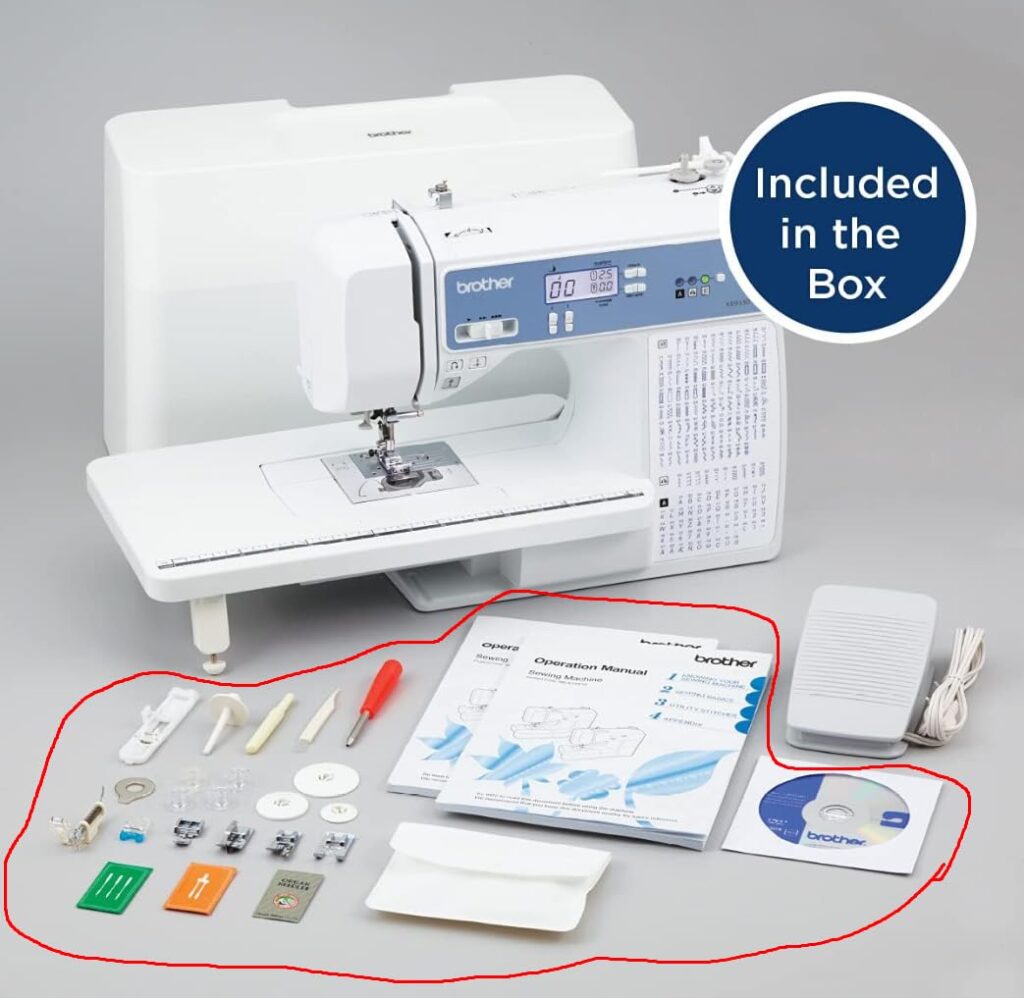
The CP100X comes with more presser feet out of the box — including that walking foot already covered — plus a quilting guide and a wide table. The XR9550’s eight feet cover the essentials for garment work (zipper, buttonhole, overcasting, blind stitch) but skip the walking foot and come with a slightly narrower accessory set overall.
In practice, I used the buttonhole, zigzag, and zipper feet regularly on both machines. The monogramming foot on the XR9550 only mattered on the projects where the letter stitches actually worked without interruption. The extra piecing foot and walking foot on the CP100X got used specifically for quilting projects and were genuinely useful rather than box-filler.
Noise, Speed, and What It’s Like to Sew a Full Evening on Each
XR9550 runs a bit louder at higher speeds, especially when pushing through anything with more than two layers — it’s not disruptive, but it’s noticeably more mechanical-sounding than the CP100X, which stays quieter even at similar speeds. If you’re sewing in a room next to a sleeping kid or a shared apartment wall, that’s worth knowing.
Speed control on both is adjustable via a slider, and both let you dial things down for detail work and up for long straight seams. I found myself keeping the CP100X at a lower ceiling speed most of the time — not because it couldn’t go faster, but because the tension quirks on denim I mentioned earlier felt more manageable at a moderate pace. The XR9550 I ran closer to full speed on most projects without issues, aside from the letter-stitch resets, which happened regardless of speed.
Over a longer session — I did one weekend where I made three tote bags back to back on each machine, alternating — the XR9550 held its bobbin tension more consistently project to project. The CP100X needed a quick tension check between projects more than once, though never anything that took more than a minute to correct.
Real Projects, Not Just Test Swatches
Swatches tell you how a machine handles fabric in isolation. They don’t tell you how it handles an actual project with corners, seams crossing over each other, and layers changing thickness mid-seam — which is where a lot of the small quirks above actually showed up.
Beyond the baby blanket and the lap quilt already mentioned, I made a set of zippered pouches on the CP100X, using the included zipper foot and piecing foot. The zipper insertion was clean on both machines, but I noticed the CP100X’s fixed needle bar made it slightly easier to keep a consistent seam allowance next to the zipper teeth without the needle drifting — a small thing, but it added up over six pouches.
On the XR9550, I hemmed a pair of jeans and patched a knee on a second pair — denim-heavy work where its slightly heavier build and feed showed its advantage most clearly. The stitches stayed even through the thick inseam overlap where four layers of denim stacked up, which is usually where a lighter machine starts to struggle or skip stitches. Neither machine skipped a stitch there, but the XR9550 pushed through with noticeably less resistance.
I also tried a simple monogrammed tote — one word, six letters, no deadline attached this time — specifically to see if the earlier freeze was a one-off. It happened again, once, partway through the fourth letter. That’s twice now across two separate projects, which is enough for me to call it a pattern rather than a fluke, and enough that I’d tell you to expect it rather than hope you’ll avoid it.
So Which One Should Actually Come Home With You?
Here’s how I’d actually make this decision, based on six weeks of using both rather than a spec sheet.
The XR9550 currently runs somewhere in the $30–50 range more than the CP100X on Amazon, depending on the week. That gap is buying you a larger regular stitch library, a heavier and more stable build, and slightly better performance on thicker fabric like denim — but it is not reliably buying you working alphanumeric stitches, and it does not include a walking foot despite being marketed for quilting.
Current Price: $269 On Amazon
165 stitches including 55 alphanumeric, 8 presser feet, LCD screen, wide table and hard case included. Best for sewers who want a bigger stitch library and a heavier, more stable machine — just test the letter stitches on scrap fabric before relying on them for a deadline project.
Choose the XR9550 if you want the extra stability for heavier fabric work, you’ll mostly stick to standard stitches rather than lettering, and you’re willing to buy a walking foot separately for quilting projects.
Choose the CP100X if quilting is a real part of your plans and you want the walking foot included rather than an added cost, you don’t need alphanumeric stitching, and you’re comfortable rethreading before denim or heavier projects as a precaution against tension issues. Just give it a stable surface so it doesn’t tip on you.
Current Price: $100 On Amazon
100 stitches, fixed needle bar, metal frame, and 10 presser feet including a walking foot standard — no separate purchase needed for quilting multiple layers. Best for quilters and beginners who want more included out of the box, on a stable surface.
If monogramming is genuinely the deciding factor for you, test the letter stitches immediately after unboxing the XR9550, on scrap fabric, before you trust it with anything that has a deadline attached. That’s the one feature where “it depends on the unit” is a real possibility, and you want to find that out on a Tuesday, not the night before a gift is due.
Related Articles:
FAQs
Q1. Can either machine do embroidery, not just lettering?
No. Both the XR9550 and CP100X are sewing and quilting machines. The XR9550’s alphanumeric stitches let you sew letters in a line as you sew, but neither machine does hoop-style embroidery — that requires a dedicated embroidery machine.
Q2. Is the walking foot really not included with the XR9550?
Based on Brother’s own listed accessories, no — the standard eight-foot set doesn’t include one. Some third-party bundles sold separately do include a walking foot with the XR9550, so check exactly what’s in the listing you’re buying rather than assuming.
Q3. Which one is better for a total beginner?
The CP100X’s threader is more consistently reliable for a first-timer. The XR9550’s threader has a slight learning curve around needle positioning, but once you know the trick, it’s not difficult. Neither has a strong beginner tutorial included, so plan on using Brother’s online videos either way.
Q4. Do the tension issues on the CP100X happen on every project?
No — quilting cotton and lighter fabrics were consistently fine in my testing. It showed up specifically on denim and heavier straight-stitch work, not as a constant problem.
Q5. Is the price gap worth it just for more stitches?
If you’ll actually use the extra 65 stitches and the letters work reliably on your unit, maybe. If you’re buying the XR9550 purely for a bigger stitch count you’ll rarely browse past the first twenty options, that’s not where the real value difference between these two machines actually is.